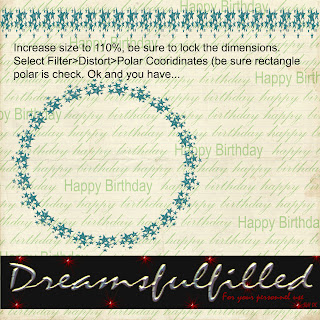
I missed the opportunity to post this, so here we go. You can use any straight element (ribbons and borders) and turn it into a frame or place for your journaling with the polar coordinates filter. If you right click and you can save the photo to your computer (if you want).
- Open a new layout, it really should be 12 x 12 inches, so that there is enough room for the filter to work properly.
- Click Filter>Distort>Polar Coordinates (at the top) and you are done.
- HOWEVER, some elements are not wide enough to connect properly, as was the case of the barbed wire frame, since I was layering them, I just turned the second layer a bit and covered the small gap. BUT if you are not doing that, to correct the gap increase the file to 110% and lock the dimensions together and run the filter in step 2.
- Have fun.


