Search Engine

Custom Search
Showing posts with label Easter. Show all posts

Friday, April 15, 2011

Foiled Chocolate Alpha Pink


Thank you all for the lovely comments.  I'll check the links for you and repair them if needed later tonight.  Tennis has started again and I have about 5 minutes to get out of the house, and  go pick up Hope.

Thursday, April 14, 2011

Foiled Chocolate Purple Alpha


My memory of those gas wars are the same.  My husband swears he never bought gas for less than 25 cents a gallon.  But I can recall them dropping down to 10 cents.  Those were the "Good Ole days!"  Next time some one says, "what was so good about them?", it'll be the perfect answer.  When gas wars were in the customers favor!

Friday, April 8, 2011

Foiled Chocolate Alpha Green

Yesterday all the Template files and Valentine files were reloaded and now all the files have the same password again.  It took alot of time to reload and link all the files, so if you find something not working, just let me know. 

Monday, April 4, 2011

Foiled Covered Chocolate Alpha

The grandchildren have returned to school after a week full of new activites.  I will make you this alpha in several colors since I have the template all set up.  It is a little boring to cut them up, so I'll get them added as they are finished.

Friday, April 2, 2010

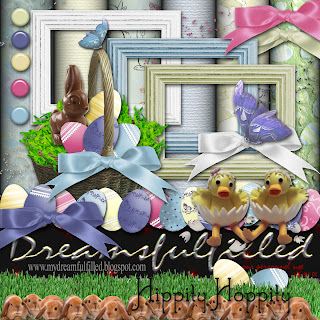
Hippity Hoppity


Sorry it's so late, blogger was acting up this morning. The download includes a basket and handle. Remember you can resize the eggs, so there is some variation. All the eggs are separate files.
  1. Drag the basket into your layout.
  2. Drag in the eggs and position them.
  3. Also included is a handle, drag it in the layers above the eggs and align it with the basket below. This sets the eggs behind the front edge of the basket. Now erase the back edge so that all your eggs show.
  4. Finished! Lock all the layers together and click Layers>Merge linked.
The fastest way to set the eggs into the grass is...
  1. Drag the grass into your layout.
  2. Layout your eggs.
  3. Now duplicate the grass layer and move it down until your happy with the positioning. The eggs now seem to be sitting in the grass, and you have avoided a lot of erasing.
  4. Link the layers in your "grass layout". You don't have to do this but it makes the layers palette clearer to work in.
  5. Click Layers>Merge linked. Have Fun.

Friday, April 10, 2009

Dove


These are finished pieces.